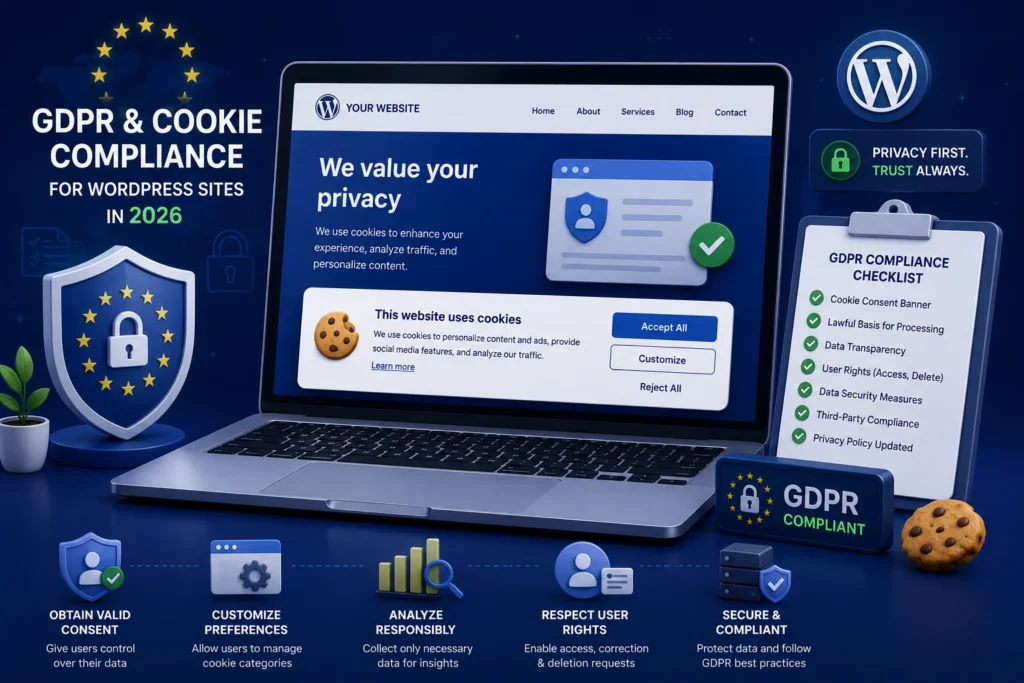
If you would rather have this handled for you, our WordPress maintenance service takes care of this end to end. Privacy laws are no longer something only large corporations need to worry about. If your WordPress site has visitors from the EU or UK, you have legal responsibilities around how you collect and handle their data, and the penalties for getting it wrong can be significant.
The good news is that compliance is manageable once you understand the basics. This plain-English guide covers GDPR and cookie compliance for WordPress in 2026, the common mistakes to avoid, and how to keep your site on the right side of the rules.
What GDPR Means for Your Website
The General Data Protection Regulation, or GDPR, governs how you collect, store, and use the personal data of people in the EU. The UK has its own closely aligned version. Together they apply to a huge share of the web.
Personal data covers more than names and emails. It includes things like IP addresses, cookie identifiers, and any information that can identify a person.
If your site collects any of this, through forms, analytics, or cookies, GDPR applies to you, regardless of where your business is based.
Cookies and Consent in 2026
Cookies are small files that store information about visitors, and many are used for analytics, advertising, or tracking. Under privacy law, you generally need clear consent before setting non-essential cookies.
That means a proper consent banner, not a pre-ticked box or a vague notice. Visitors should be able to accept, reject, or choose which categories of cookies they allow.
- Explain clearly what cookies you use and why
- Let visitors reject non-essential cookies as easily as accepting them
- Do not load tracking or advertising cookies until consent is given
- Keep a record of the consent visitors provide
Getting consent right is one of the most visible parts of compliance, and one of the most commonly done wrong.
Key Steps to Make WordPress Compliant
Bringing a WordPress site into line with privacy law involves a handful of practical steps. None are especially difficult on their own.
- Publish a clear, accurate privacy policy explaining what data you collect and why
- Add a compliant cookie consent banner
- Make sure forms explain how submitted data will be used
- Only collect the data you genuinely need
- Provide a way for people to request access to or deletion of their data
- Secure the personal data you hold with good security practices
Compliance and security go hand in hand. Protecting personal data properly is both a legal requirement and simply good practice.
Common Compliance Mistakes
Many sites fall short in the same predictable ways. Being aware of these helps you avoid them.
A frequent mistake is loading analytics and tracking scripts before the visitor has consented. Another is having a privacy policy that is generic, outdated, or does not match what the site actually does.
Some sites also collect far more data than they need, which increases both risk and responsibility. Collecting only what is necessary makes compliance simpler and reduces your exposure if anything goes wrong.
Why Ongoing Attention Matters
Privacy compliance is not a one-time task. Laws evolve, your site changes, and new plugins can quietly introduce new cookies or data collection.
Reviewing your privacy setup periodically keeps you compliant as things change. It also protects the trust of your visitors, who increasingly care about how their data is handled. Good security supports all of this, as covered in our guide on WordPress security hardening.
Compliance Builds Customer Trust
It is easy to see privacy compliance as a box-ticking chore, but there is a real upside beyond avoiding fines. Handling data responsibly builds genuine trust with your visitors.
People are increasingly aware of how their data is collected and used, and increasingly cautious about who they share it with. A clear privacy policy, honest cookie choices, and visible respect for their preferences all signal that you take their trust seriously.
That trust has practical value. Visitors are more willing to submit a form, subscribe, or make a purchase when they feel confident their information will be handled properly. Compliance done well becomes a quiet competitive advantage.
The reverse is also true. Sneaky tracking, vague policies, or a data mishap can damage trust quickly and lastingly. Treating privacy as a matter of respect for your visitors, rather than just a legal hurdle, tends to serve your business well in the long run.
Frequently Asked Questions
Does GDPR apply to my small business website?
If you have visitors from the EU or UK and collect any personal data, including through analytics or cookies, then yes. GDPR applies regardless of your business size or location.
Do I need a cookie consent banner?
If your site uses non-essential cookies for analytics, advertising, or tracking, you generally need clear consent before setting them, which means a proper consent banner.
What should my privacy policy include?
It should clearly explain what data you collect, why, how it is used and stored, who it is shared with, and how visitors can access or delete their data.
What happens if I ignore privacy compliance?
You risk fines, legal complaints, and lost trust. Beyond the legal side, poor data handling damages your reputation with privacy-conscious customers.
For further reading, the official GDPR information portal offers helpful, authoritative guidance.
Keep Your Site Compliant and Trusted
Privacy compliance protects your visitors and your business. A clear privacy policy, proper cookie consent, and good data security cover the essentials for most WordPress sites.
BlueBotts helps keep client sites secure and well maintained, including the security foundations that compliance depends on. Request a free site audit or get in touch to keep your site healthy and trustworthy.
Get a free audit covering security, updates, backups, and performance gaps. Takes 60 seconds to request and costs nothing.