If you would rather have this handled for you, our managed WordPress maintenance service takes care of this end to end. Choosing a WordPress maintenance company is one of the most important decisions you will make for your website. The right partner keeps your site secure, fast, and online, and gives you back hours every week. The wrong one leaves you exposed and frustrated.
With so many providers promising similar things, it can be hard to tell them apart. This guide gives you a clear framework for choosing a WordPress maintenance company in 2026, including the questions to ask and the red flags to avoid.
Why the Right Provider Matters
Your website is often your most valuable marketing asset. When it goes down, slows to a crawl, or gets hacked, it costs you leads, sales, and trust.
A good maintenance company prevents most of these problems before they happen. They apply updates safely, monitor your site around the clock, keep clean backups, and respond fast when something goes wrong.
The difference between a great provider and a poor one is not always obvious in the sales pitch. It shows up when something breaks, which is exactly when you need them most.
What to Look for in a Maintenance Company
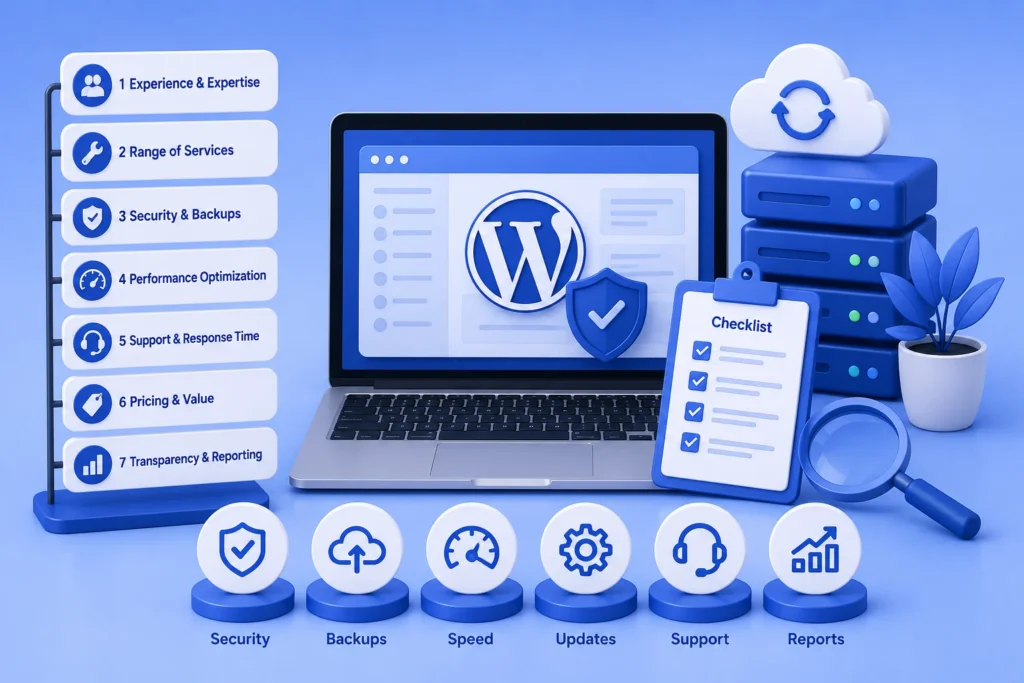
Not all maintenance plans are equal. Before committing, make sure a provider covers the essentials.
- Regular updates for WordPress core, plugins, and themes, tested before going live
- Proactive security monitoring and malware scanning
- Automated, off-site, encrypted backups that are actually tested
- Uptime monitoring with fast incident response
- Performance and speed optimization
- Clear, human support with reasonable response times
- Transparent monthly reporting so you know what was done
If a provider is vague about any of these, treat it as a warning sign. Good companies are happy to explain exactly what they do.
Questions to Ask Before You Sign Up
The right questions quickly reveal whether a provider is a good fit. Ask each company you are considering the following.
- What exactly is included in the plan, and what costs extra?
- How quickly do you respond when my site has a problem?
- Do you test updates on a staging site before applying them live?
- Are backups off-site, encrypted, and regularly restored?
- What happens if my site gets hacked while under your care?
- Can I see a sample of your monthly reports?
The answers tell you whether you are buying genuine, proactive care or just occasional updates. Our WordPress maintenance checklist is a useful reference for what a complete service should cover.
Red Flags to Watch Out For
Some warning signs should make you pause before signing anything.
Be cautious of providers who cannot clearly explain their process, who have no defined response times, or who do not test updates before deploying them. Vague promises often lead to vague results.
If a provider dodges questions about backups, security, or response times before you have paid, imagine how they will handle an actual emergency.
Extremely cheap plans can also be a red flag. Real, proactive maintenance takes time and expertise, and a price that seems too good to be true usually means important things are being skipped.
In-House vs Outsourced Maintenance
You could handle maintenance yourself, but for most businesses that is a poor use of time. It requires ongoing technical knowledge, and one mistake during an update can take the site offline.
Outsourcing to a specialist gives you expertise, tools, and monitoring for a predictable monthly fee, and someone accountable when things go wrong. For a fuller comparison, our guide on WordPress support contracts explains what a good arrangement looks like.
The True Cost of the Wrong Provider
A cheap or careless maintenance provider can end up costing far more than a good one. When updates are applied without testing, or security is neglected, the problems land on you.
Imagine your site going down during a busy period and waiting days for a response, or discovering after a hack that your backups were never actually working. These situations turn a small monthly saving into a large, unexpected loss.
The wrong provider also costs you in less obvious ways. Time spent chasing slow support, worry about whether your site is truly protected, and the hassle of switching providers later all add up.
This is why scope, reliability, and transparency matter more than price. A provider who does the job properly protects your revenue and your peace of mind, which is exactly what you are paying for. The cheapest option is rarely the one that saves you money in the end.
Frequently Asked Questions
How much does a WordPress maintenance company cost?
Most small business plans range from around $80 to $200 per month for updates, security, backups, monitoring, and support. Stores and larger sites typically cost more.
What should a WordPress maintenance plan include?
At minimum: updates, security monitoring, malware scanning, backups, uptime monitoring, performance optimization, and support. Clear reporting should come as standard.
Can’t I just maintain my WordPress site myself?
You can, but it takes time and technical skill, and mistakes can be costly. Many owners find outsourcing saves money once they factor in their time and the risk.
How do I know if a maintenance company is reliable?
Look for clear processes, defined response times, tested backups, and transparent reporting. Reliable providers answer your questions directly and confidently.
For further reading, the official WordPress documentation offers helpful, authoritative guidance.
Choose a Partner You Can Trust
The right WordPress maintenance company protects your site, saves you time, and gives you peace of mind. Focus on scope, response time, and transparency rather than price alone.
BlueBotts offers proactive, fully managed WordPress maintenance with clear reporting and real human support. Request a free site audit or view our plans to see how we can help.
Get a free audit covering security, updates, backups, and performance gaps. Takes 60 seconds to request and costs nothing.