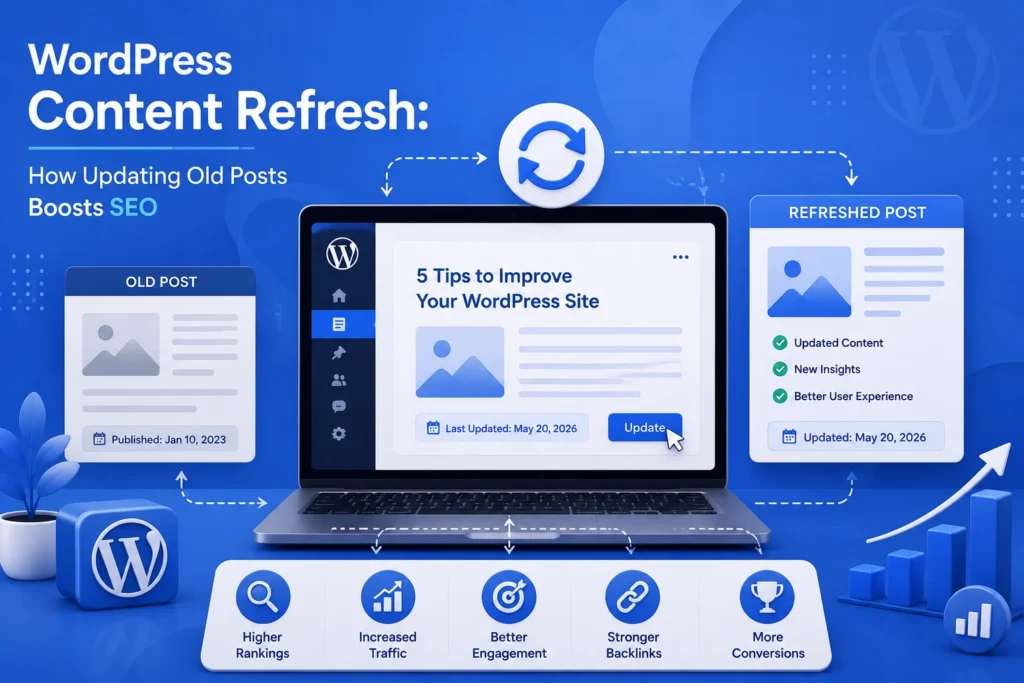
If you would rather have this handled for you, our WordPress SEO services takes care of this end to end. When people think about growing their search traffic, they usually think about publishing new content. But one of the most effective SEO tactics is often hiding in plain sight: refreshing the old posts you already have. Updating existing content can lift your rankings faster, and with less effort, than writing something new from scratch.
This guide explains why a content refresh works so well, which posts to prioritise, and how to update old WordPress content for a real SEO boost.
Why Old Content Loses Its Edge
Content that once ranked well can slowly slip down the results over time. This happens for a few natural reasons, and none of them mean your content was bad.
Information becomes outdated, competitors publish fresher and more thorough articles, and search engines increasingly favour content that is current and comprehensive. What was excellent two years ago may now feel thin or dated.
The result is a gradual decline in rankings and traffic for pages that used to perform well. A refresh reverses that decline.
Why Refreshing Content Is So Effective
Updating existing content has a built-in advantage over publishing brand-new posts. The page already has history, links, and authority behind it.
- It already exists in search engines’ indexes, sometimes with established rankings
- It may already have backlinks and internal links pointing to it
- Improving it builds on existing authority rather than starting from zero
- It usually takes less time than writing a comparable new article
Refreshing a page that already ranks on page two can be far quicker and more rewarding than trying to rank a brand-new article from nothing.
Which Posts to Refresh First
You do not need to update everything at once. Focusing on the right posts gives you the biggest return for your effort.
Prioritise pages that once performed well but have declined, articles that are close to ranking higher but not quite there, and content on topics that still matter to your audience. Posts with outdated information or statistics are also strong candidates, since accuracy matters to both readers and search engines.
Older cornerstone content, the in-depth guides central to your site, is especially worth keeping fresh, because it often attracts the most traffic and links.
How to Refresh Content the Right Way
A good content refresh is more than changing a date. It genuinely improves the page for readers and search engines alike.
- Update outdated facts, statistics, and examples
- Expand thin sections and add anything important that is now missing
- Improve readability with shorter paragraphs and clear headings
- Add or update internal links to and from related content
- Refresh the title and meta description to be more compelling
- Remove anything that is no longer accurate or relevant
The goal is to make the page the best available answer to the reader’s question, better than it was and better than competing pages.
Making Content Refresh a Habit
A content refresh is not a one-time project. Content naturally ages, so the most successful sites review and update their key pages regularly.
Building periodic content reviews into your routine keeps your best pages competitive and your traffic healthy. Pairing this with a technically well-maintained site, as covered in our WordPress maintenance checklist, gives your content the strongest possible foundation to rank.
Refresh or Rewrite: Knowing the Difference
Not every old post needs the same treatment. Knowing when to lightly refresh a page and when to substantially rewrite it helps you spend your effort wisely.
A refresh suits content that is still fundamentally sound but slightly dated. Updating a few facts, adding a missing section, improving the headings, and refreshing the title can be enough to restore a page’s competitiveness with modest effort.
A rewrite is warranted when a page is thin, badly outdated, or no longer reflects how you would approach the topic today. In these cases, patching small parts is not enough, and rebuilding the page from a stronger foundation delivers far better results.
There is also a third option: consolidation. If you have several weak posts covering similar ground, merging them into one comprehensive, authoritative page often ranks better than any of them did alone. Choosing the right approach for each page makes your content strategy both efficient and effective.
Frequently Asked Questions
Does updating old blog posts help SEO?
Yes. Refreshing existing content builds on its established authority and links, and search engines favour up-to-date, comprehensive pages. It often lifts rankings faster than new posts.
How often should I refresh my content?
Review your important pages periodically, at least once or twice a year, and update them whenever information becomes outdated. High-value pages deserve more frequent attention.
Which posts should I update first?
Start with pages that once ranked well but have declined, articles close to ranking higher, and content with outdated information. Cornerstone guides are especially worth refreshing.
Is refreshing content better than writing new posts?
Both have value, but refreshing is often faster and more effective for pages that already have some authority. A healthy strategy combines updating old content with publishing new.
For further reading, Google Search Central’s helpful content guidance offers helpful, authoritative guidance.
Get More From the Content You Already Have
Refreshing old posts is one of the smartest, most efficient ways to grow your search traffic. By improving what you already have, you build on existing authority for faster results.
BlueBotts keeps client sites technically healthy and fast, giving your content the strong foundation it needs to rank. Request a free site audit or get in touch to strengthen your site.
Get a free audit covering security, updates, backups, and performance gaps. Takes 60 seconds to request and costs nothing.