If you would rather have this handled for you, our WordPress maintenance service takes care of this end to end. PHP is the programming language that powers WordPress behind the scenes. Most site owners never think about it, but the version of PHP your site runs on has a real impact on its speed, security, and compatibility. Running an outdated version quietly holds your site back and puts it at risk.
This guide explains why your WordPress PHP version matters, the dangers of running an old one, and how to update it safely without breaking your site.
What Is PHP and Why Does It Matter?
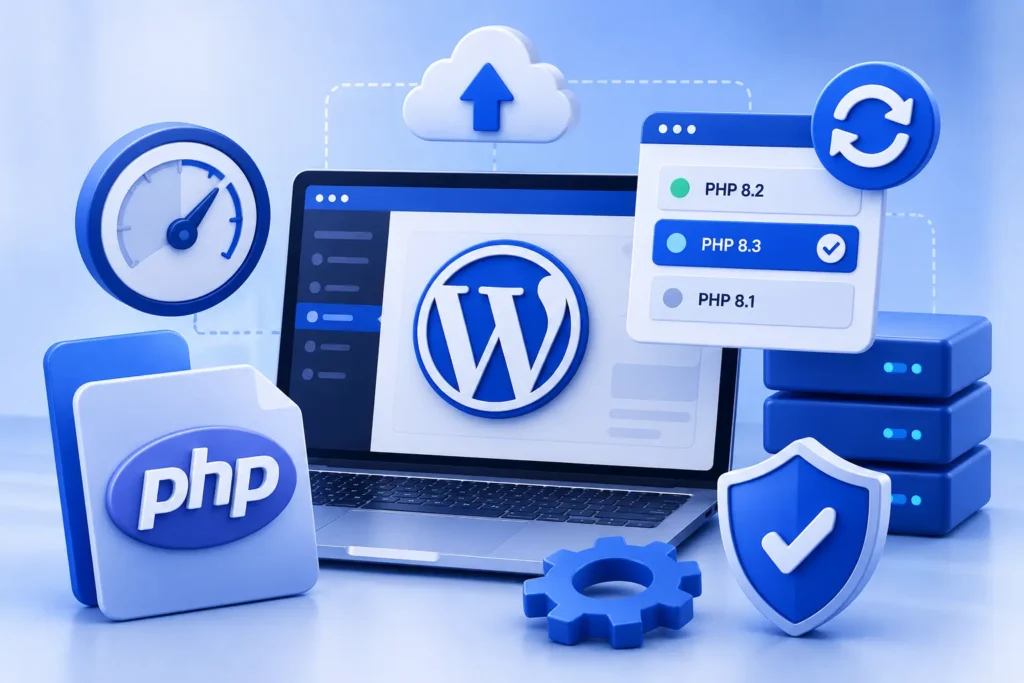
PHP is the language WordPress is built in. Every time someone visits your site, PHP runs to generate the pages they see. Like any software, it is developed in versions, and newer versions bring improvements.
Newer PHP versions are faster, more secure, and better supported. Older versions gradually lose support and stop receiving security updates, which is where the trouble begins.
Your host controls which PHP version your site can use, but you are usually responsible for choosing to keep it current.
The Risks of an Outdated WordPress PHP Version
Running an old, unsupported version of PHP creates several serious problems that build up over time.
- Security vulnerabilities: unsupported versions no longer receive security fixes, leaving known holes open
- Slower performance: older versions are less efficient, so your site runs slower than it could
- Compatibility issues: modern plugins and themes increasingly require newer PHP versions
- Lack of support: problems become harder to solve on outdated software
Running an unsupported PHP version is like leaving a known, unlocked door in your site’s security. The fix exists, but only if you keep the version current.
How Updating PHP Improves Your Site
Moving to a current, supported PHP version brings immediate benefits. The most noticeable is often speed, as newer versions handle the same work more efficiently.
You also close a category of security risk, since supported versions receive ongoing fixes. And you stay compatible with modern plugins and themes, avoiding the errors that appear when software outgrows an old PHP version. Faster, safer, and more compatible is a strong combination, and it complements the wider work covered in our guide on how to speed up WordPress.
How to Update PHP Safely
Updating PHP is usually straightforward, but it must be done carefully because, occasionally, older plugins or custom code are not compatible with a newer version. Rushing it can cause errors.
- Take a full backup of your site first
- Check that your plugins, theme, and any custom code support the new version
- Test the update on a staging site before touching production
- Resolve any compatibility issues you find during testing
- Apply the change to your live site once you are confident
- Verify the site works correctly afterwards
Testing on a staging site is the key safeguard, as it lets you catch any issues privately. Our guide on WordPress staging sites explains how.
Keep PHP Current as Part of Maintenance
PHP versions reach end of life on a schedule, so staying current is an ongoing task rather than a one-off. A version that is supported today will eventually be retired.
Building PHP checks into your regular maintenance routine ensures your site never drifts onto an unsupported version. It keeps your site fast, secure, and compatible year after year.
How to Tell If Your Site Is Falling Behind
Because PHP runs quietly behind the scenes, it is easy to be on an outdated version without realising it. A few signs suggest your site may be falling behind.
Plugin or theme warnings are a common clue. When software you rely on starts recommending a newer PHP version, or throwing compatibility errors, it is a strong signal that your version is ageing.
Unexplained slowness can also point to old PHP, since newer versions are considerably more efficient. If your site feels sluggish despite other optimizations, the underlying PHP version is worth checking.
Your hosting control panel usually shows your current version and how it compares to the latest supported ones. If yours is several versions behind, or marked as no longer supported, it is time to plan an update. Catching this during regular maintenance, rather than after a problem appears, keeps your site fast, secure, and trouble-free.
Frequently Asked Questions
How do I know which PHP version my site uses?
Your hosting control panel usually shows and lets you change the PHP version. A maintenance provider can also check and manage this for you.
Is it safe to update PHP on my WordPress site?
Yes, when done carefully. Back up first, confirm your plugins and theme support the new version, and test on a staging site before updating your live site.
Will updating PHP break my site?
It can if an old plugin or custom code is incompatible, which is why testing on staging first matters. Catching issues there means your live site stays safe.
Does the PHP version affect site speed?
Yes. Newer PHP versions are more efficient and can noticeably improve performance compared with older, outdated versions.
For further reading, the official PHP supported versions page offers helpful, authoritative guidance.
Keep Your Site’s Engine Up to Date
Your PHP version is a quiet but important factor in your site’s speed, security, and compatibility. Keeping it current, and updating it safely, keeps your site running at its best.
BlueBotts manages PHP updates and compatibility as part of our maintenance plans, tested safely before going live. Request a free site audit or view our plans to keep your site current.
Get a free audit covering security, updates, backups, and performance gaps. Takes 60 seconds to request and costs nothing.