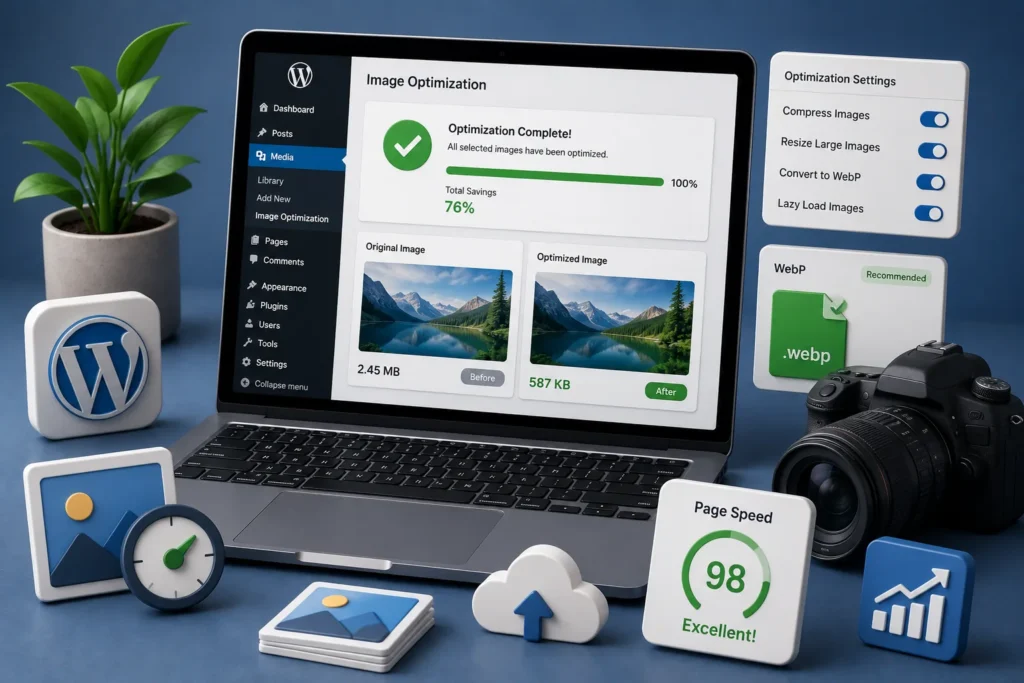
If you would rather have this handled for you, our speed optimization service takes care of this end to end. Images make your website engaging, but they are also the most common reason WordPress sites load slowly. A single unoptimized photo can be several megabytes, forcing visitors to wait while it downloads. Multiply that across a page and your site crawls. WordPress image optimization fixes this without any visible loss in quality.
The good news is you can have both beautiful images and a fast site. This guide explains how to optimize images in WordPress for faster loading without sacrificing quality.
Why WordPress Image Optimization Matters
Images often make up the largest part of a page’s total size. When they are not optimized, they slow everything down, and the effects ripple outward.
Slow-loading pages frustrate visitors, increase bounce rates, and hurt conversions. Because site speed is a ranking factor, heavy images can also drag down your search performance. Our guide on how to speed up WordPress covers the bigger performance picture.
Optimizing images is one of the highest-impact speed improvements you can make, often with no visible loss in quality.
The Core Principles of Image Optimization
Effective image optimization comes down to a few key ideas working together. Master these and your images will load fast on any device.
- Compression: reducing file size while keeping the image looking good
- Correct sizing: serving images at the dimensions they are actually displayed
- Modern formats: using efficient formats that are smaller than older ones
- Lazy loading: only loading images as they are about to appear on screen
Applied together, these can dramatically shrink page weight without any obvious difference to visitors.
Compress Without Losing Quality
Compression reduces the amount of data an image uses. The trick is finding the balance where the file is much smaller but still looks sharp.
Most photos can be compressed significantly with no visible difference. The savings add up fast, especially on image-heavy pages, and faster pages keep visitors engaged.
A page full of uncompressed images can be several times larger than it needs to be. Compression is the single easiest speed win for most sites.
Serve Images at the Right Size
Uploading a huge image and letting the browser shrink it to fit is a common and costly mistake. The visitor still downloads the full, oversized file.
Instead, images should be sized to match how they are actually displayed. Serving appropriately sized images to phones, tablets, and desktops means no one downloads more data than they need.
Use Modern Formats and Lazy Loading
Modern image formats deliver the same visual quality at a fraction of the file size of older formats. Switching to them can noticeably reduce page weight across your whole site.
Lazy loading complements this by only loading images as the visitor scrolls toward them. Images further down the page are not downloaded until they are needed, so the initial page load is much faster.
Keep Image Optimization Ongoing
Optimizing your existing images is a great start, but new images are added all the time. Without a process, page weight creeps back up.
Making optimization part of your workflow keeps things fast. Compressing and correctly sizing images before or as you upload them ensures every new image helps, rather than hurts, your performance.
Common Image Mistakes to Avoid
Even well-meaning site owners often make a few recurring image mistakes that quietly slow their sites down. Knowing them helps you avoid the most common pitfalls.
The biggest is uploading enormous, full-resolution images straight from a camera or stock library, then relying on the browser to shrink them on screen. The visitor still downloads the full file, which can be many times larger than needed.
Another is ignoring image format, sticking with older, heavier formats when modern ones offer the same quality at a fraction of the size. Over a whole site, that difference adds up significantly.
Forgetting alt text is a mistake too. It does not affect speed, but it hurts accessibility and SEO, so it is worth getting right at the same time. Avoiding these simple errors, and building good habits into how you add images, keeps your site fast as your content library grows.
Frequently Asked Questions
Will compressing images reduce their quality?
Done properly, the difference is invisible to visitors. Most images can be compressed significantly while still looking sharp, with a big reduction in file size.
What is the best image format for the web?
Modern formats offer the same quality at much smaller file sizes than older formats. Using them across your site is one of the easiest ways to reduce page weight.
What is lazy loading?
Lazy loading delays loading images until they are about to appear on screen. This speeds up the initial page load, since off-screen images are not downloaded upfront.
Does image optimization help SEO?
Yes. Faster pages improve user experience and are favoured by search engines, so lighter images support better rankings.
For further reading, Google’s web.dev guidance on optimizing images offers helpful, authoritative guidance.
Faster Pages, Same Great Images
Image optimization lets you keep your site visually rich while loading quickly on every device. Compression, correct sizing, modern formats, and lazy loading do the heavy lifting.
BlueBotts includes image and performance optimization in our maintenance plans, so your site stays fast as it grows. Request a free site audit or view our plans to speed up your site.
Get a free audit covering security, updates, backups, and performance gaps. Takes 60 seconds to request and costs nothing.