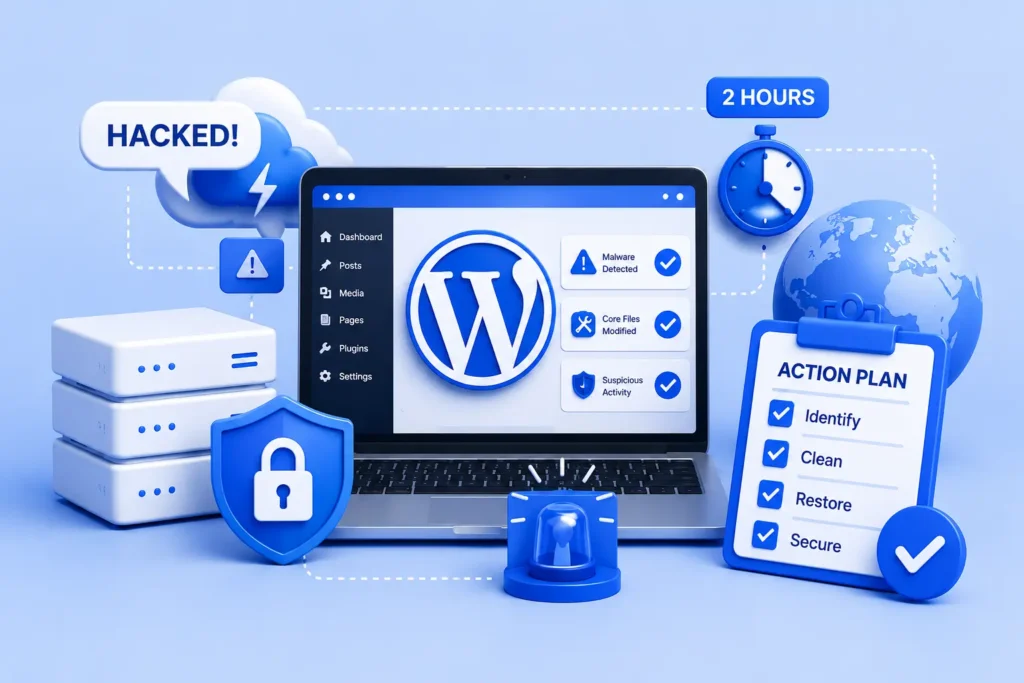
Realising your WordPress site is hacked is alarming, but fast, calm action limits the damage. This is your emergency plan for a WordPress site hacked and needing recovery, covering exactly what to do in the next two hours to contain, clean, and restore it.
WordPress Site Hacked: Assess the Situation First
When a WordPress site is hacked, the immediate priority should be to assess the situation thoroughly. Assessing the extent of the breach will enable you to determine the appropriate steps to mitigate the damage and regain control of your website. Start by checking for unauthorized changes on your site. This includes reviewing any recent updates to plugins, themes, or core files that were not initiated by you or your team.
Next, monitor any error messages that might indicate a hack. Look for signs such as unexpected redirects, unusual error notifications, or warnings about security vulnerabilities. These messages can provide critical insights into how the breach occurred and the potential damage inflicted upon your site.
Additionally, examining your site’s functionality is crucial. If plugins or features are malfunctioning, it could signify that your site’s integrity has been compromised. Make note of any discrepancies or irregularities in your site’s performance, as these can serve as indicators of the type and severity of the attack.
To further assist in your assessment, utilize security tools such as Sucuri or Wordfence. These plugins can help identify malware, unauthorized changes, and security vulnerabilities within your WordPress environment. Running a complete scan can reveal insights into any malicious code that might have been injected into your files. Collecting as much information as possible will aid in correctly diagnosing the issue and determining the next steps.
In summary, a prompt and careful evaluation of a compromised WordPress site can greatly influence your response strategy. By thoroughly inspecting for unauthorized changes, reviewing error messages, and utilizing diagnostic tools, you position yourself to effectively tackle the aftermath of a hacking incident.
Secure the Site: Immediate Actions to Take
When faced with a security breach, the initial actions taken are crucial in preventing further damage to a compromised WordPress site. The first step is to temporarily take the site offline. This action not only helps to curb any ongoing malicious activities but also protects your visitors from potential harm. You can achieve this by either changing your site’s password or utilizing a maintenance mode plugin to alert users that the site is undergoing maintenance.
Next, it is essential to change all passwords associated with the site. This includes the administrator account, as well as FTP, database, and hosting account passwords. Choose strong, unique passwords that incorporate a mix of letters, numbers, and symbols, as this will significantly enhance your site’s security. It is worth noting that reusing passwords across different accounts increases vulnerability, so it’s advisable to deploy a password manager if necessary.
Another vital step is to implement two-factor authentication (2FA) where possible. This additional security layer requires users to provide a second form of identification, which drastically reduces the likelihood of unauthorized access. WordPress offers several plugins that can facilitate 2FA implementation, thus enhancing the overall security of your site.
Lastly, ensure that any sensitive data is safeguarded. This includes checking for data breaches and ensuring user data is not exposed. If customer data is compromised, take immediate steps to inform your users and adhere to any legal obligations pertaining to data protection. By following these immediate actions, you can create a secure environment while initiating the recovery process for your WordPress site.
Analyze and Clean Up: Finding the Source of the Breach
Once your WordPress site is secured from ongoing threats, the next critical step is to analyze and identify the source of the breach. This process begins with reviewing your site’s access logs. These logs can provide vital information about unusual activity, such as unauthorized login attempts or changes made to files. Pay special attention to any unfamiliar IP addresses or login times that seem out of the ordinary, as these might indicate potential breaches.
Next, it’s essential to check for malware. Utilizing security plugins such as Wordfence, Sucuri, or iThemes Security can help in scanning your website for common types of malware. These tools can identify compromised files, malicious scripts, and other vulnerabilities that may have been exploited during the hacking incident. Regular scanning should be a part of your ongoing maintenance routines.
Moreover, understanding common hacking techniques can aid in narrowing down the source of the attack. Hackers often exploit outdated plugins or themes. Therefore, review each present theme and plugin for any known vulnerabilities. Ensure that all elements of your site are current; deactivating or removing any that are obsolete can enhance your site’s security.
It’s also crucial to revert your site to a previous version if recent updates coincide with the time of the breach. Backups can serve as a safeguard, allowing restoration from a clean state. However, for extensive breaches or if you feel overwhelmed, consulting with cybersecurity professionals may be the most prudent course of action. Their expertise can provide insights into complex security issues that might elude an average user and can facilitate a more thorough clean-up.
For further reading, the official WordPress ‘my site was hacked’ guide offers helpful, authoritative guidance.
Prevent Future Hacks: Implementing a Security Plan
Addressing website security is an ongoing commitment that requires vigilance and a proactive approach. To prevent future hacks on your WordPress site, implementing a comprehensive security plan is essential. First and foremost, regularly updating WordPress, along with all themes and plugins, is crucial. Outdated software is one of the most common vulnerabilities that hackers exploit. Ensure that automatic updates are enabled wherever possible, and monitor for any critical updates that may require manual intervention.
In addition, creating regular backups of your site is vital. By establishing a routine for backups, you can secure your content and restore your website quickly in case of an incident. It is advisable to leverage reputable backup solutions that store your data off-site, ensuring that even in the case of a catastrophic failure, your website remains recoverable.
Choosing a trustworthy hosting provider also plays a significant role in securing your WordPress site. Opt for a host that prioritizes security features, such as firewalls, malware scanning, and DDoS protection. These layers of security can significantly reduce the risk of a breach and protect your sensitive information.
Moreover, educating your team about security best practices is equally important. Staff should be trained to recognize phishing attempts, utilize strong passwords, and apply two-factor authentication where possible. A well-informed team can act as a frontline defense against potential threats.
Overall, implementing these strategies is not a one-time effort but rather an integral part of your WordPress security strategy. By scheduling regular updates, ensuring consistent backups, partnering with a reliable host, and fostering an awareness of security among team members, you create a resilient framework against cyber threats. Continuously evaluating and adjusting your security plan will further safeguard your site and enhance its overall security posture.
If you would rather have this handled for you, our WordPress hacked-site recovery service takes care of this end to end.
Get a free audit covering security, updates, backups, and performance gaps. Takes 60 seconds to request and costs nothing.