If you would rather have this handled for you, our WordPress SEO services takes care of this end to end. A website that is hard to use for people with disabilities is not just a missed opportunity, it can also be a legal risk. Accessibility means building your site so that everyone, including people who use screen readers, keyboards, or other assistive technology, can use it fully.
Making WordPress accessible is achievable and benefits every visitor, not just those with disabilities. This practical guide explains why accessibility matters, the common issues to fix, and how to build it into your site.
What Website Accessibility Means
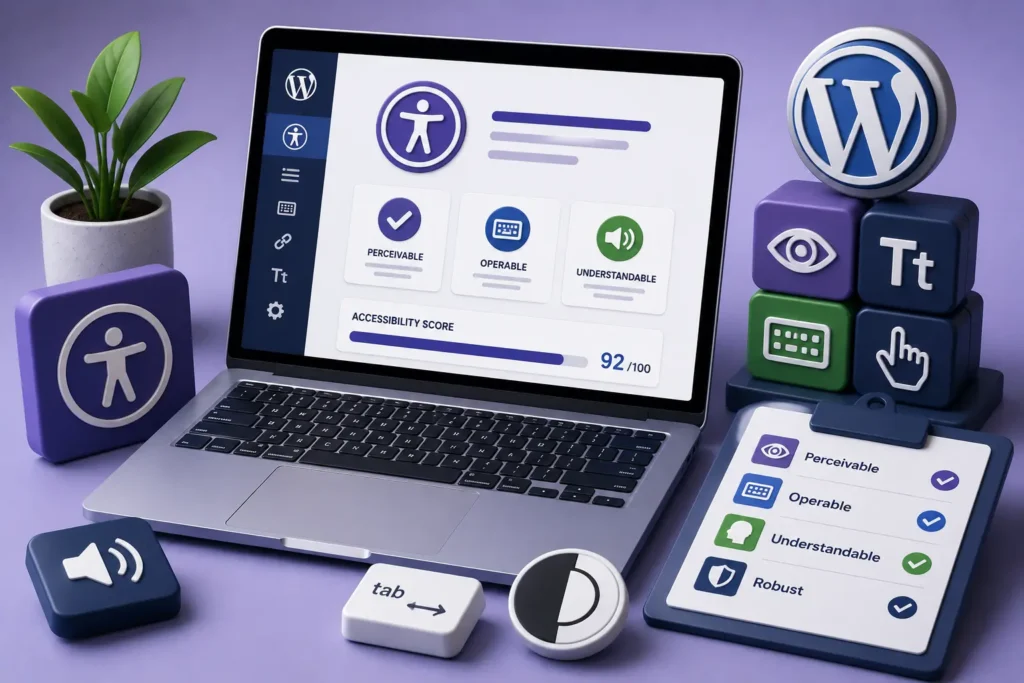
Web accessibility is the practice of designing and building sites so that people with a wide range of abilities can perceive, understand, and interact with them. The widely used standard is the Web Content Accessibility Guidelines, or WCAG.
Accessibility covers many needs: visual, motor, hearing, and cognitive. A blind visitor might rely on a screen reader, while someone with a motor impairment may navigate entirely by keyboard.
The goal is simple. No visitor should be shut out of your content or unable to complete a task because of how the site is built.
Why Accessibility Matters
Accessibility is worth the effort for several strong reasons, and they reinforce one another.
It Reaches More People
A significant portion of the population has some form of disability. An inaccessible site turns those potential customers away before they even begin.
It Reduces Legal Risk
Accessibility requirements are increasingly enforced, and inaccessible sites have become the subject of complaints and legal action. Meeting recognized standards reduces that risk.
It Improves SEO and Usability
Many accessibility practices, such as clear structure, descriptive text, and good contrast, also help search engines and improve the experience for everyone. Accessible sites tend to be better sites overall.
Accessibility is not a niche concern. It makes your site usable by more people, easier to rank, and clearer for every visitor.
Common Accessibility Issues on WordPress
Most accessibility problems fall into a handful of recurring categories. Fixing these covers a large share of the issues on a typical site.
- Images without descriptive alternative text
- Poor color contrast between text and background
- Links and buttons that are unclear or not keyboard-accessible
- Missing or illogical heading structure
- Forms without proper labels
- Videos without captions or transcripts
None of these are hard to fix individually, and addressing them makes a real difference to visitors who rely on assistive technology.
How to Make Your WordPress Site More Accessible
Improving accessibility is a process, not a single switch. Working through it step by step yields steady progress.
- Add clear, descriptive alt text to meaningful images
- Check and improve color contrast across your site
- Use a logical heading structure that reflects the content
- Make sure everything works with keyboard navigation alone
- Label all form fields clearly
- Provide captions or transcripts for video and audio
Testing with a screen reader and keyboard, or with automated accessibility tools, helps you find issues you might otherwise miss.
Accessibility Is Ongoing
Like security and performance, accessibility is not a one-time project. Every new page, image, or plugin can introduce fresh issues if you are not careful.
Building accessibility into how you create content keeps your site inclusive as it grows. Adding alt text as you upload images, and checking contrast as you design, prevents problems from accumulating.
Accessibility Benefits Every Visitor
It is a common misconception that accessibility only helps a small group of users. In reality, accessible design makes a site easier and more pleasant to use for everyone.
Consider captions on videos. They are essential for deaf visitors, but they also help people watching without sound, those in noisy environments, and anyone who simply prefers to read. Clear structure and good contrast help people with visual impairments, and also make content easier to scan for every reader.
Accessible sites tend to be faster to navigate, clearer to understand, and more usable on a wide range of devices. These are qualities that improve the experience for your entire audience, not just those using assistive technology.
There is a search benefit too. Many of the same practices that aid accessibility, such as descriptive text and logical structure, also help search engines understand your content. Building an accessible site is, in a very real sense, building a better site for everyone.
Frequently Asked Questions
What is WCAG?
WCAG stands for the Web Content Accessibility Guidelines, the widely recognized standard for making websites usable by people with disabilities. It defines practical criteria for accessible design.
Is website accessibility a legal requirement?
In many regions, accessibility is required or strongly expected, and inaccessible sites have faced legal complaints. Meeting recognized standards reduces your legal risk.
Does accessibility help SEO?
Yes. Many accessibility practices, such as descriptive text, clear structure, and good contrast, also improve how search engines understand your site and how easily everyone can use it.
How do I test my site’s accessibility?
Use a combination of automated accessibility tools and manual testing with a keyboard and screen reader. Together they catch the most common issues.
For further reading, the W3C Web Content Accessibility Guidelines offers helpful, authoritative guidance.
Build a Site Everyone Can Use
Accessibility makes your website usable for more people, reduces legal risk, and improves the experience for every visitor. It is a mark of a well-built, well-maintained site.
BlueBotts helps keep client sites healthy, well structured, and up to date, which supports accessibility alongside security and speed. Request a free site audit or get in touch to improve your site.
Get a free audit covering security, updates, backups, and performance gaps. Takes 60 seconds to request and costs nothing.